Solutions
Three tasks to start with.
You can start with a single task area from €149 a month; our team sets up your first production workflow together with you. Every task delivers a verifiable output and leaves the final decision with your team.
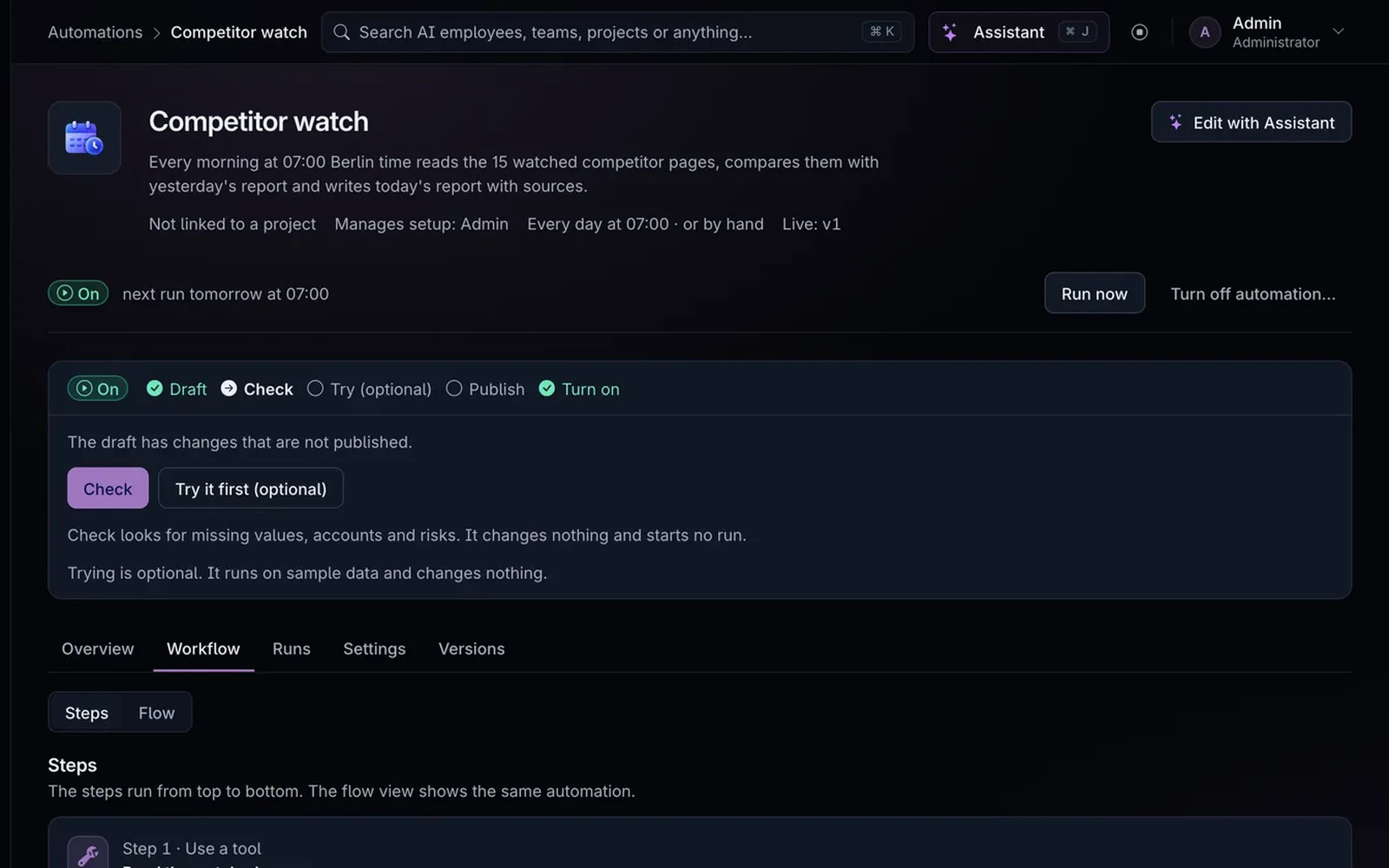
Report & market monitoring with sources
Competitor prices, supplier quotes, industry news, or funding programmes: read on a fixed schedule, every fact with source and retrieval timestamp.

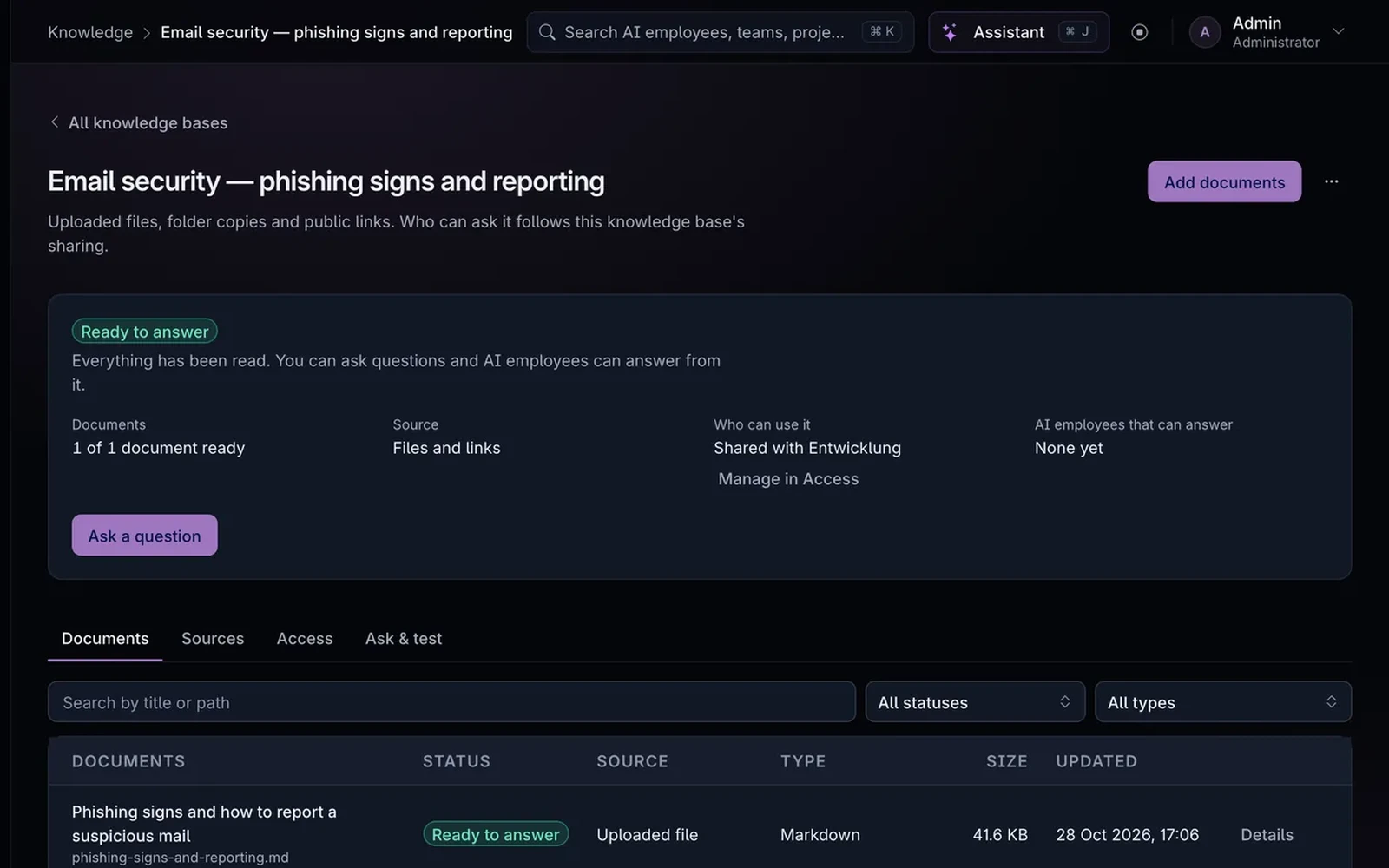
Answers & drafts from your documents
Service menus, practice information, contracts, manuals, policies, or minutes: the answer and reply draft sit right beside the paragraph they come from.
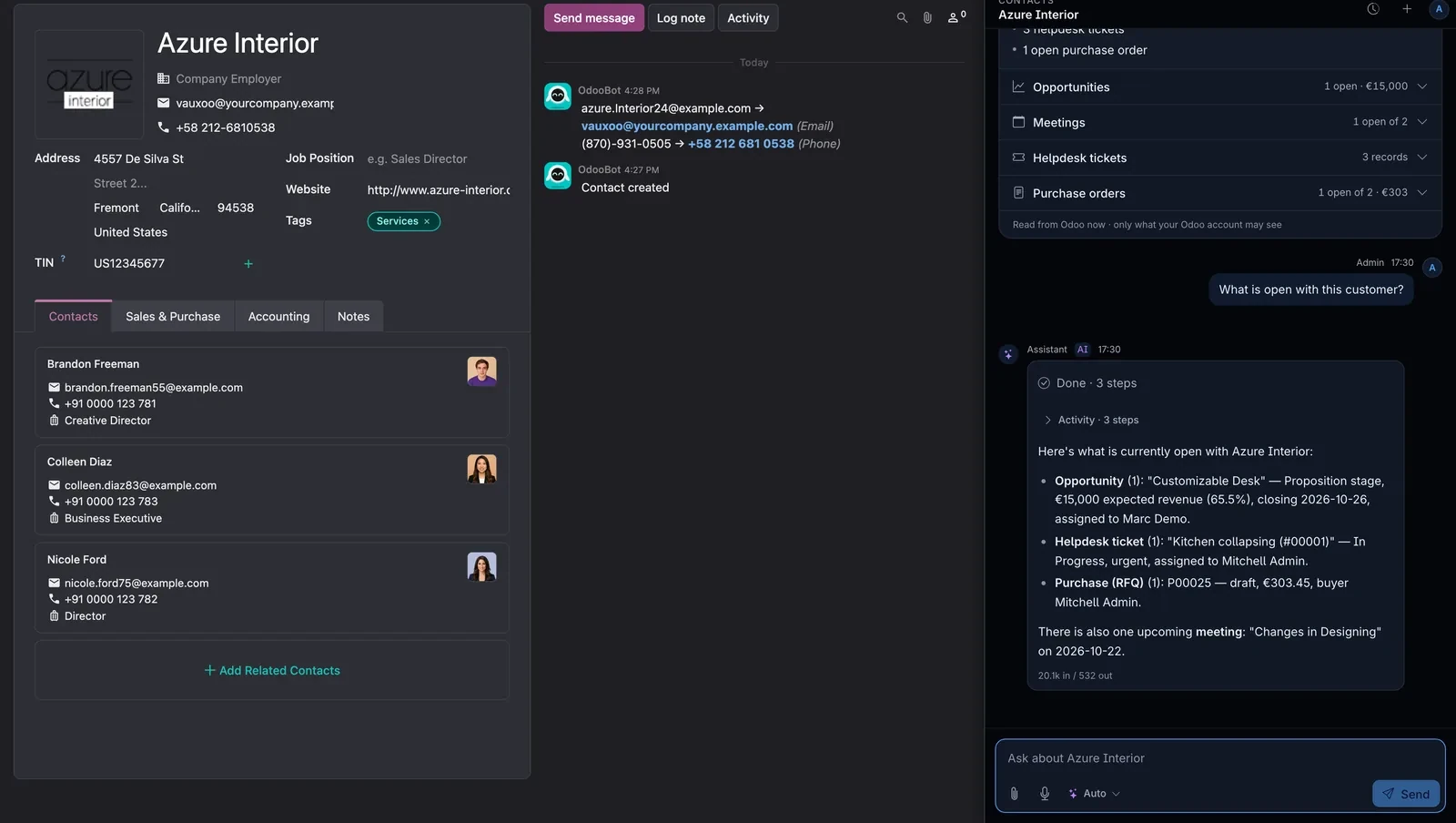
MITDesk with Odoo & existing business systems
Works as a standalone workspace with your mailboxes and files - and connects directly to Odoo (CRM, Helpdesk, Sales, Purchase) or other business systems when needed.
Market comparison
One business case, five approaches: which fits when.
Good tools solve different problems. Using the exact same end-to-end workflow, this comparison shows how general AI assistants, technical workflow builders, ecosystem platforms, built-in ERP AI, and MITDesk differ in structure.
Shared reference workflow across all five approaches
1. Incoming customer email with PDF attachment -> 2. Find relevant business data and documents -> 3. Prepare a reply draft or record update -> 4. Apply required approval -> 5. Record the result and make it reviewable in the audit log.
| Step / criterion | ChatGPT Team / Enterprise | n8n / Make | Microsoft Copilot Studio | Odoo 20 Enterprise AI | MITDesk |
|---|---|---|---|---|---|
| 1. Receive incoming email & PDF | Interactive chat: user uploads the PDF or queries connected apps inside their personal chat session. | Strong technical trigger: email and webhook nodes start workflows automatically in the background. | Automatable via Power Automate triggers and Microsoft 365 mailboxes. | Email intake directly on the Odoo chatter or Helpdesk ticket inside Odoo. | Scheduled run or event: AI employee reads the permitted mailbox as a structured business case. Reading PDF attachments is in preparation. |
| 2. Find relevant business information | Connected apps (e.g. Google Drive, SharePoint, GitHub) search documents in the user context. | Queries via HTTP/app nodes and custom vector stores; permission logic is built by the technical team. | Power Platform connectors to Microsoft and non-Microsoft services plus custom connectors. | Reads Odoo records, Odoo documents, and configured sources inside Odoo 20 Enterprise. | Combines role-protected knowledge bases (answer with exact paragraph citation) and accounts across Odoo, email, files, or business tools. |
| 3. Prepare reply or record update | Writes text drafts in chat; transferring changes into the target system is typically done by the person. | Executes node actions or AI tool calls; a business user interface must be provided separately. | Replies and actions inside Teams, Copilot, or Power Platform flows. | Reply drafts in the Odoo chatter and agent actions directly on the open Odoo 20 record. | Places the finished reply draft or prepared field change with before/after preview in the shared workspace. |
| 4. Required approval & four-eyes rule | The chat user reviews their own prompt; no built-in separation between requester, AI owner, and approver. | n8n provides a human-in-the-loop review step for AI tool calls (e.g. via email, Slack, or form); role separation and four-eyes rules are modelled by the builder. | Approvals configurable via Power Automate Approvals inside the Microsoft tenant. | In chat Odoo asks first; background agents do not use a separate four-eyes approval card. | Default approval card with before/after diff, named rule, two-factor confirmation, and mandatory separation between AI owner and approver. |
| 5. Audit trail & choice of hosting / models | Chat history and Enterprise admin logs in the OpenAI cloud. | Technical execution log of node runs (cloud or self-hosted); not a ready-made business audit ledger. | Logging in Microsoft Purview / Power Platform Admin Center (Microsoft Cloud). | Notes in the Odoo chatter; model selection and billing handled by Odoo (from Odoo 20 Enterprise). | Chained, signed audit log (exportable by the Auditor role) · free choice between cloud, EU-only models, own model server, or full on-premises operation. |
| When this option fits best | Personal writing, research, and ad-hoc assistance for individual staff at their desk. | Developer and IT teams that want to build and maintain technical integration pipelines themselves. | Enterprises and teams whose daily work and governance live entirely inside Microsoft 365 and Power Platform. | Companies on Odoo 20 Enterprise whose workflows happen exclusively inside Odoo. | Business teams (with or without Odoo) looking for an included workspace, clear approval rules, model choice, and guided onboarding by Metzler IT. |
Set up together
What we set up together with you at the start.
Server and operating mode
Cloud models, EU-only models, your own model server, or full on-premises operation. We decide this before the first file is read.
Mailbox and incoming channels
The AI employee reads the permitted mailbox, structures incoming requests, and prepares reply drafts. Outbound sending stays under your team's control; automatic replies under a policy you approve are in preparation. We qualify the mailbox connection with your account before it runs in production.
Documents and business systems
Permitted folders, price lists, manuals, and existing systems such as Odoo, calendars, or ticket tools are connected with clear read permissions.
Which task will relieve your team first?
In the 5-step solution configurator, choose your industry, tasks, and volume to get an immediate recommendation with a transparent price breakdown.