Physiotherapy
Treatment series, first-visit intake, and waiting lists without paper chaos at reception.
In physiotherapy it is rarely about a single appointment: treatment series of six to ten sessions, short-notice cancellations, room and therapist matching, and complete documents before the first visit tie up reception every day.
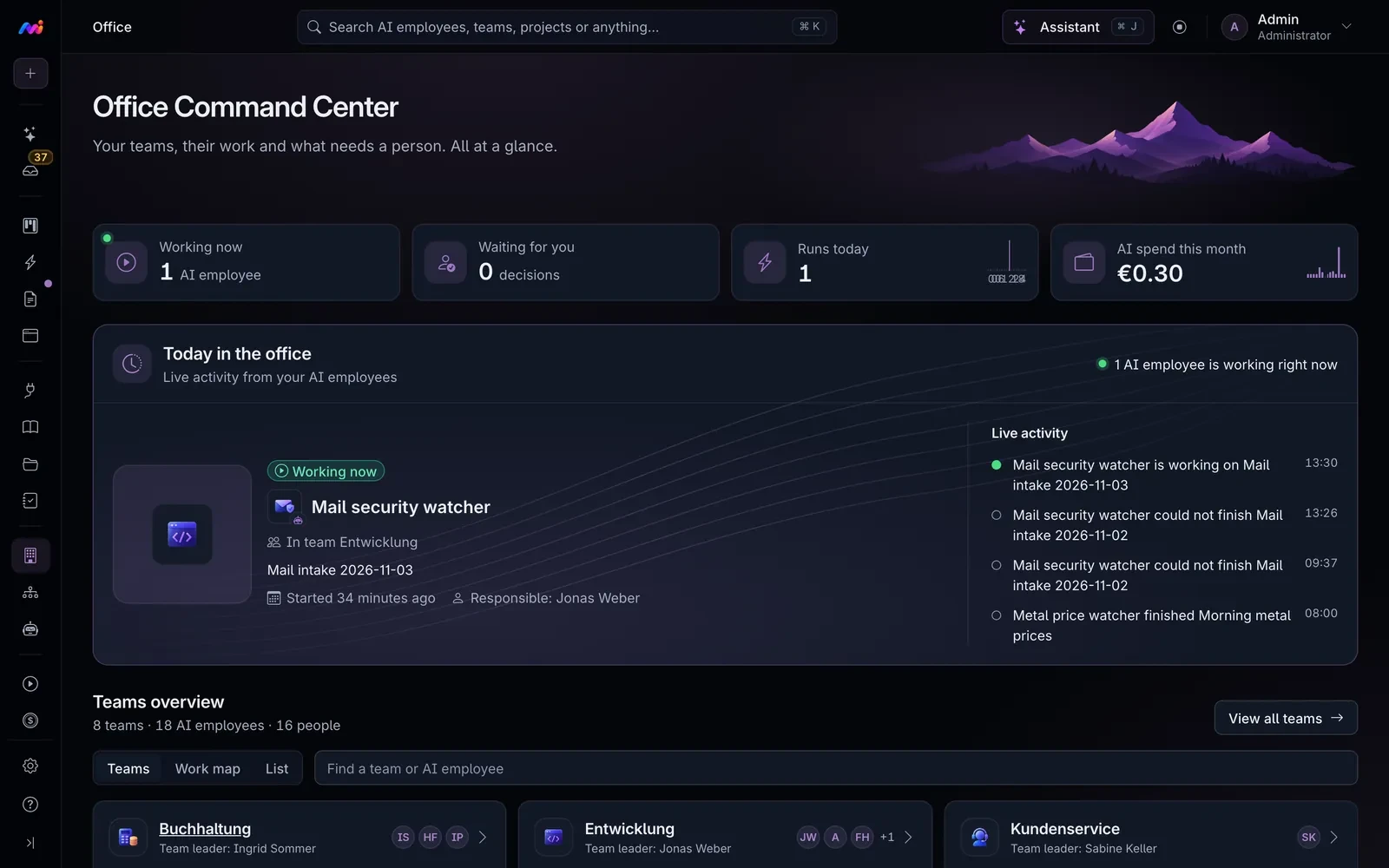
Today in your business
What costs time between treatment room and reception in physiotherapy
MITDesk structures treatment series and intake checklists by your practice rules. Formal verification of prescriptions stays with your team.
Distinct operating model: treatment series & shift handovers
Why physiotherapy needs different workflows from single-appointment practices.
Physiotherapy is rarely about one isolated slot: 6- or 10-session series must align with therapist, treatment room, and duration over weeks - and reception shifts often hand over at midday.
- Series intake
6- or 10-session series instead of one slot
MITDesk: Checks the enquiry against your intake checklist (treatment type, 20/30 min length, preferred days) and proposes a coherent series.
Your team: Your team formally verifies the prescription and enters the series into practice software.
- 10:15
Cancellation mid-series
MITDesk: Finds waiting-list patients with matching treatment type and identical duration with the same therapist.
Your team: Reception approves the replacement draft - no idle treatment room.
- 12:30
Clean morning -> afternoon shift handover
MITDesk: Summarises all open callbacks, incomplete series enquiries, and open afternoon slots on one page.
Your team: Afternoon shift picks up immediately with zero sticky notes on the monitor.
3 interactive workflows MITDesk prepares
Pick a real business situation, start the demo, test missing details or rejection, and inspect the verifiable output.

When something is missing or does not match
Time window for series missing. The draft asks specifically for available times of day for the series and notes which documents to bring.


System integration & setup
How MITDesk fits into your physiotherapy practice
Physiotherapy practices schedule in treatment series across multiple weeks. MITDesk reads your practice mailbox, your own intake checklist, your waiting list, and your shared availability overview to prepare series proposals and reception shift handovers.
1. Mailbox, calendar & file folders
Start without rebuilding your IT: the AI employee reads a permitted mailbox, an availability calendar, and your shared document folders (e.g. Microsoft 365, Google Workspace, Nextcloud, or IMAP).
2. Direct connection to supported applications
Where a supported connector is available (e.g. Odoo, Zammad, GitLab, Qonto, Lexware Office, sevDesk), the AI employee works through its own strictly scoped user account.
3. Alongside existing sector software
If your sector or practice software does not expose an open write API, MITDesk works cleanly alongside it via incoming emails, file exports, or the side panel - and your team applies the verified result.
Formal verification of the medical prescription and final booking in your practice software always stay with your team. The workflows shown are demonstrations with sample data, not a verified connection to practice software; an appointment search with rooms and practitioners directly in the calendar is in preparation. The connections named here are built and tested with test data; verified in real use so far is Odoo (Odoo 20, our own system). We qualify each further one with your account during onboarding before it runs in production.
Frequently asked questions: Physiotherapy
Does MITDesk validate statutory prescriptions for legal compliance?
No. MITDesk checks against your practice's own intake checklist whether the patient has provided all organisational details for scheduling and reminds them which documents to bring. Formal prescription verification stays with your staff.
Can MITDesk prepare full series of 6 or 10 appointments?
Yes. When a shared calendar or availability export is connected, MITDesk finds recurring open windows of matching duration and lists them clearly in the reply draft.
Which plan fits a physiotherapy practice?
Most practices start with the Start plan (€149 / month, 1 AI employee for reception) or Team (€449 / month when intake, waiting list, and shift handovers run as separate roles).
Want to calculate effort and package fit for your team?
The 5-step solution configurator pre-selects this industry and task, calculates the time scenario, and recommends the fitting setup.
Other industries