Made in GermanyPay yearly, two months free: Start €124.17 / month (€1,490 per year instead of €1,788).See pricing 2 months free

IT service providers

Check the server, show the evidence, change only after approval.

The alert comes at night, someone reads logs in the morning. The routine change is known, but nobody should run it unchecked.
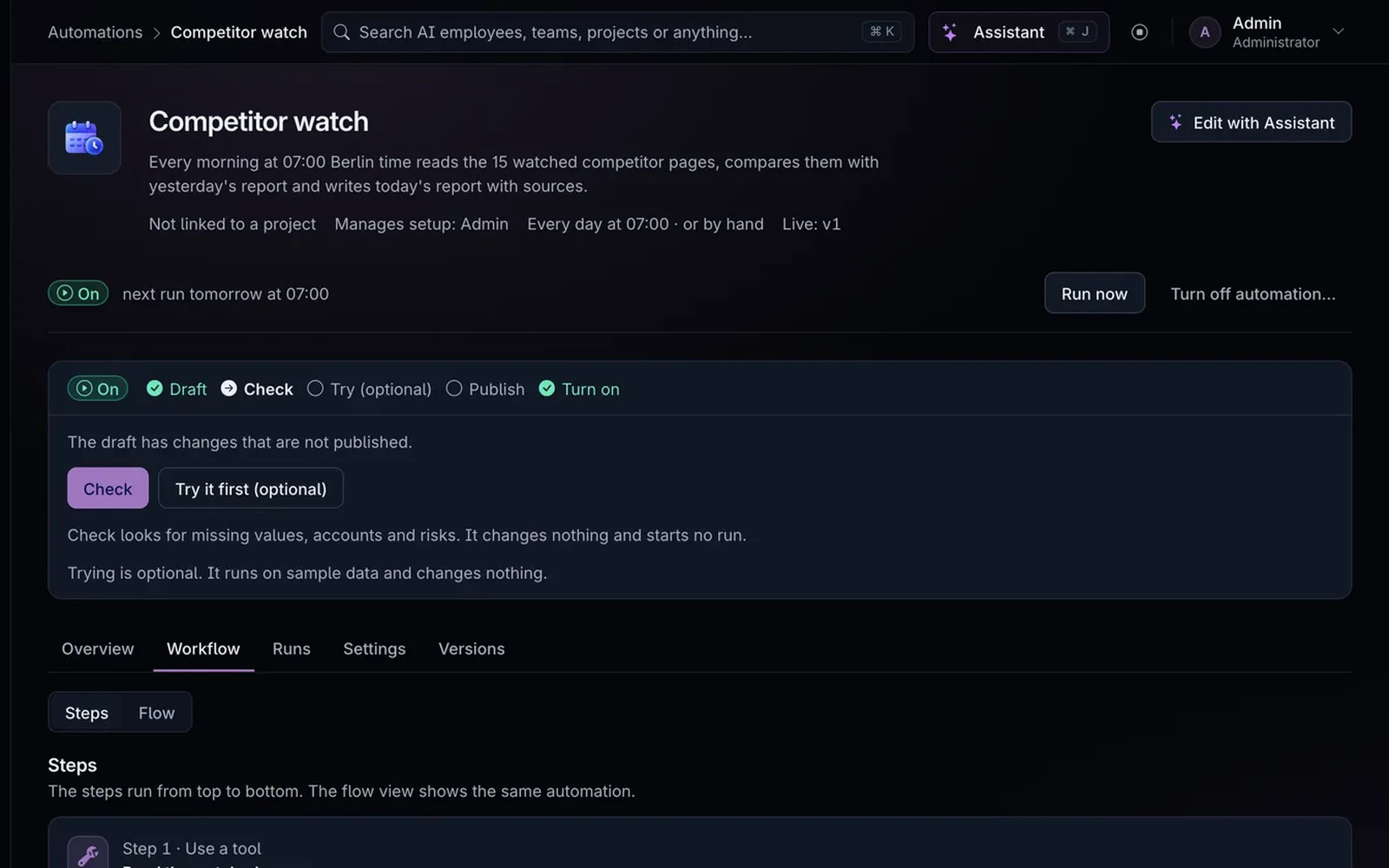
Automations: schedule, last result, on or off.

Today in your business

What costs time in IT operations at night and at month end

Data from the server is processed only by models on your own model server. Without such a model the request is refused.

  • Alerts at two in the morningThe routine change is known, but nobody should run it unchecked.
  • Tickets with historyThe answer is in three old tickets and the documentation.
  • Licences expire silentlyContracts and licence lists per customer: expiry is noticed at the outage.

3 interactive workflows MITDesk prepares

Pick a real business situation, start the demo, test missing details or rejection, and inspect the verifiable output.

1. Select a business situationDemo using sample data

Server check with a proposed change

IT service providers · Demo using sample data

Alert + on-call check requestToday, 06:35

Alert: Disk usage /var/log at 93%

Monitoring -> On-call · srv-client-07

Monitoring alerted 93% disk usage on srv-client-07 at 02:14. On-call triggers a read-only diagnosis checked against Runbook R-07.

Systems & rights:Server logs (Read only · local model)Runbook library (R-07)Approval + 2FA: On-call engineer
Explore situation
RequestStep 1 of 5

06:35: check after the alert "disk 93 %"

  • The alert came from your monitoring at 02:14. On-call starts the check for srv-client-07.
Decision point: human approvalSafe demo simulation only

Approve sensitive server action (Diff + Rollback + 2FA)

Apply exact logrotate config diff (with backup & automatic rollback if test fails)

/etc/logrotate.d/app: rotation disabled (93% full)/etc/logrotate.d/app: daily rotate 14 + compress + pre-change backup
On-call · Server check with diff approval cardDemo using sample data

Alert srv-client-07: Disk usage 93%

Read-only finding
/var/log/app.log uses 41 GB · logrotate job failing for 14 days due to permission mismatch
Matched runbook
Runbook R-07, section 3 ("Fix log rotation after package upgrade")
Prepared config diff
/etc/logrotate.d/app: su root adm -> exact 1-line before/after approval card
Executed only after two-factor approval by on-call engineer; automatic rollback if config check fails.
Sources: Monitoring alert 02:14 · /var/log/syslog · Runbook R-07

What stays with your team

Every change to a server waits for your approval, without exception. You also confirm with your second factor, for example a code from an authenticator app. Data from the server is processed only by models on your own model server.

Check this workflow for my business

Demo using sample data - no real emails, bookings, payments, or system updates are triggered.

When something is missing or does not match

Cause unclear. The finding names the log lines and says: "Cause not in the runbook. Please check." No change is proposed.


Typical connections

All integrations

System integration & setup

How MITDesk works with ticketing, monitoring, and runbooks

IT service providers and MSPs connect their ticket system (e.g. Zammad, Odoo Helpdesk, Jira), monitoring (Grafana, Prometheus, Sentry), and runbook/contract folders in Nextcloud or GitLab.

1. Mailbox, calendar & file folders

Start without rebuilding your IT: the AI employee reads a permitted mailbox, an availability calendar, and your shared document folders (e.g. Microsoft 365, Google Workspace, Nextcloud, or IMAP).

2. Direct connection to supported applications

Where a supported connector is available (e.g. Odoo, Zammad, GitLab, Qonto, Lexware Office, sevDesk), the AI employee works through its own strictly scoped user account.

3. Alongside existing sector software

If your sector or practice software does not expose an open write API, MITDesk works cleanly alongside it via incoming emails, file exports, or the side panel - and your team applies the verified result.

Server and log data can be restricted strictly to models on your own model server; every configuration change requires two-factor approval. The connections named here are built and tested with test data; verified in real use so far is Odoo (Odoo 20, our own system). We qualify each further one with your account during onboarding before it runs in production.

How you start

"Server check with a proposed change" as your first workflow.

Configure your task in the solution configurator or send us an enquiry; we guide the onboarding. At first the AI employee observes and prepares drafts; every outbound reply or record change waits for your team's approval.

Price orientation: Start from €124.17 / month billed annually (€1,490 per year instead of €1,788; or €149 billed monthly, 1 AI employee) · Team from €374.17 / month billed annually (€4,490 per year; or €449 billed monthly, up to 5 AI employees) · paid upfront, monthly or annually. All prices net plus AI model usage.

  1. Step 1Select task & scopeChoose your workflow, volume, and existing tools in the configurator.
  2. Step 2Connect & observeEach connection uses its own account with scoped rights. The AI employee prepares drafts while your team compares.
  3. Step 3Approve with confidenceOutbound messages and system changes wait for your approval according to your rules.
  4. Configure this workflowSee all plans & prices

Frequently asked questions: IT service providers

Does MITDesk ever run commands on a server without human approval?

No. Analysis is strictly read-only. Every change is presented as an exact before/after diff on an approval card and requires confirmation by an authorised engineer with a second factor.

Do server logs and client data stay on our own infrastructure?

Yes. For IT service providers, MITDesk supports operation with your own model server (e.g. Ollama / vLLM) or a full on-premises installation.

Which ticketing and monitoring systems can be connected?

Among others: Zammad, Odoo Helpdesk, Jira, Freshdesk, GitLab, GitHub, Grafana, Prometheus, UptimeRobot, and Sentry.

Want to calculate effort and package fit for your team?

The 5-step solution configurator pre-selects this industry and task, calculates the time scenario, and recommends the fitting setup.

Configure for your business