 MITDesk in Odoo
AI for Odoo that strictly respects your account permissions.
MITDesk is a standalone platform for AI employees that connects to Odoo through its standard API. It reads records with the permissions of an assigned Odoo account, generates daily morning briefings, writes reply drafts, and prepares updates as approval cards.
- Tested with Odoo 20 (17 on a test system)
- Standalone workspace + Odoo connection
- MITDesk Link optional (side panel)
- Permissions of your Odoo account
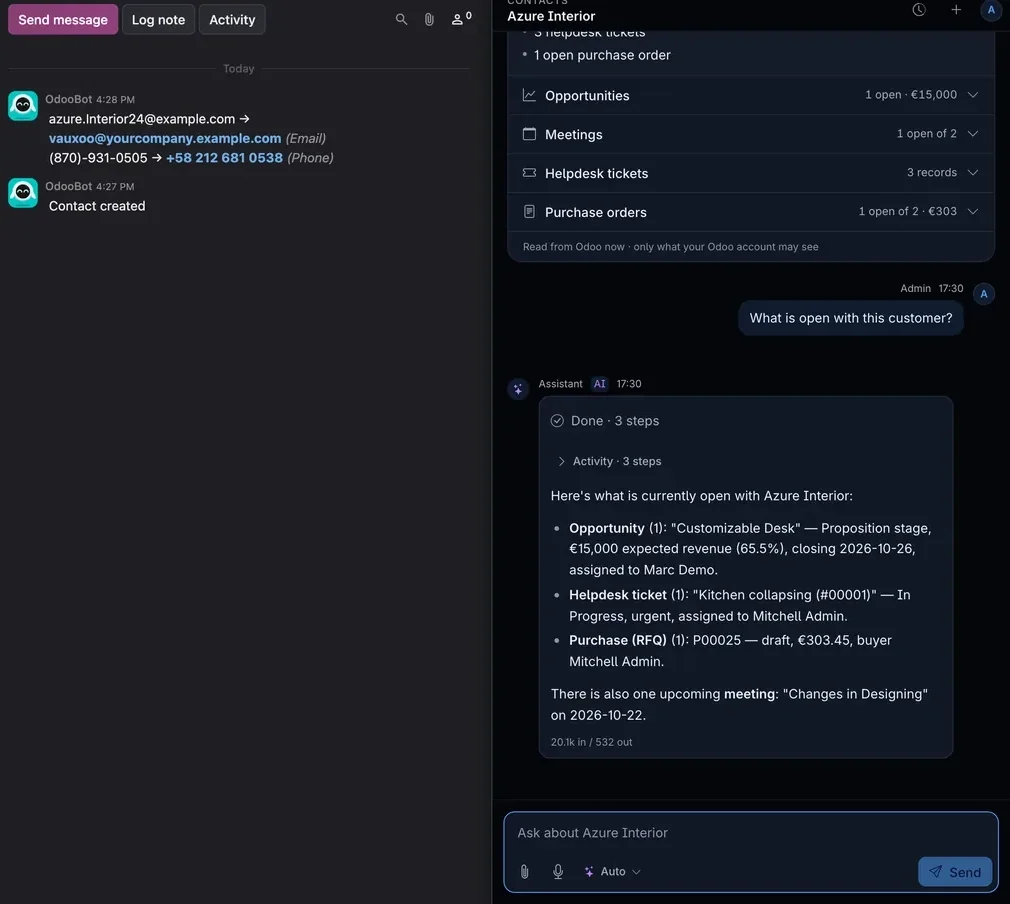
Side panel & workspace
Right beside the open Odoo record or in its own workspace.
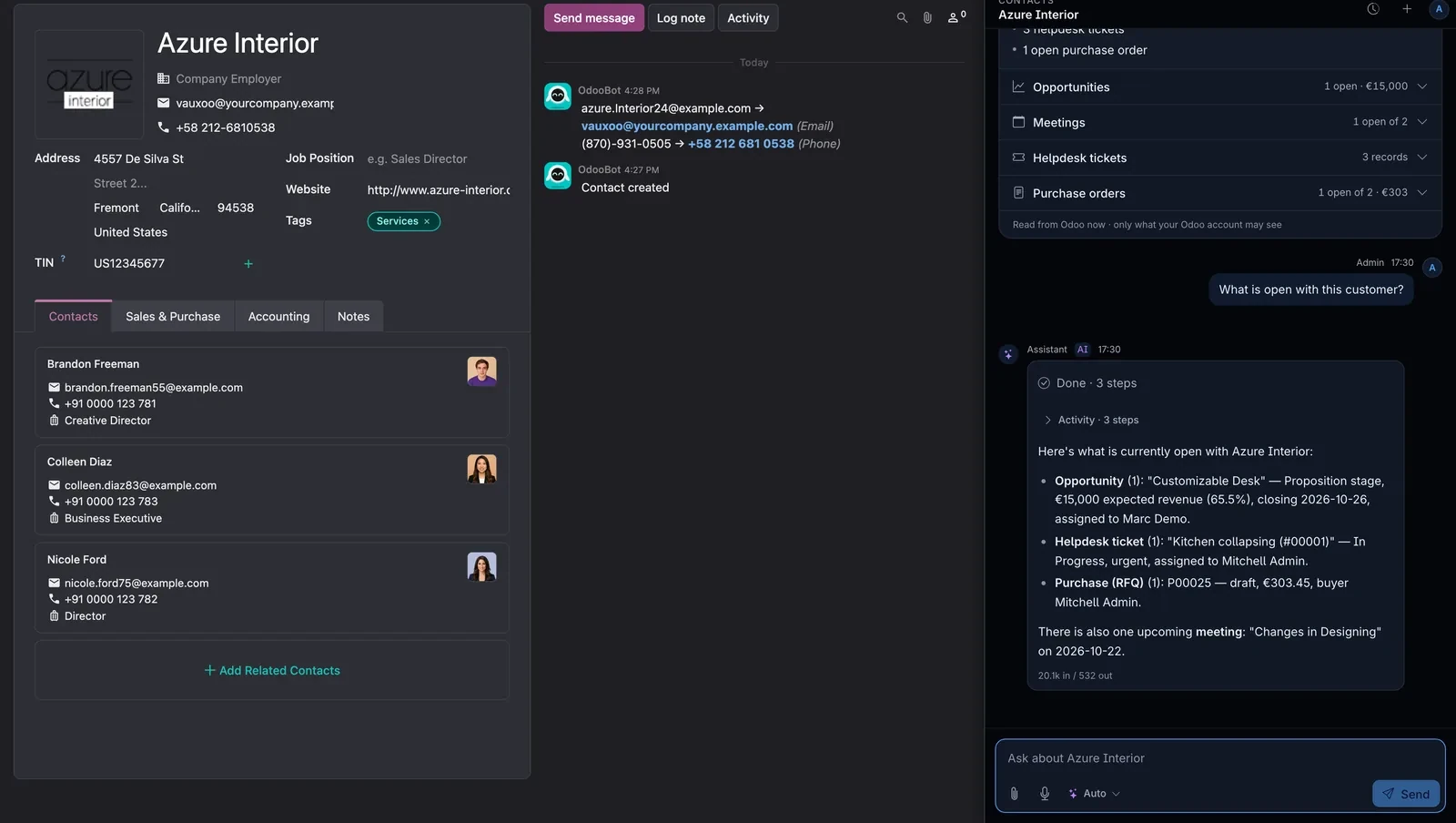
Press Alt+M to open MITDesk right beside the open Odoo record. Ask about the customer, order, or ticket; MITDesk answers with the permissions of your Odoo account and, on request, inserts the prepared reply draft into the composer. Nothing is sent without you. The panel module MITDesk Link is optional: it exists for Odoo 18 and 20 and is tested on Odoo 20. Without Link, MITDesk works through Odoo's standard API. Tested with Odoo 20 (our own system) and with Odoo 17 and 20 on test systems; we qualify Odoo 16, 18 and 19 at the start. For Odoo.sh and Odoo Online we clarify the appropriate connection method during setup.
For Odoo CRM & Helpdesk
Daily Sales & Support Intelligence from Odoo.
Every working morning at 07:30, two short, verifiable reports from Odoo CRM and Helpdesk: which opportunities have no salesperson, which tickets have been waiting longest, and where attention is needed. Read-only access, every figure linked to its record number.
Interactive demo
What an approval feels like before writing to Odoo.
AI employee Ben has prepared a change to a customer's payment terms. Decide for yourself: Odoo checks permissions at preview time and again when writing. If the record has changed in the meantime, nothing is overwritten.
Interactive demo using sample data on this website. No connection to an external Odoo system is made.
Reply drafts in Helpdesk
The AI employee prepares the draft. Your team reviews and sends.

Fair comparison
MITDesk, Odoo 20 Enterprise AI, and other alternatives compared.
Odoo 20 Enterprise includes its own built-in AI features inside the ERP: questions on a record, drafting text, searching sources, and agents with tools. MITDesk does not replace that; it complements your setup whenever workflows span beyond Odoo, you run an earlier Odoo version, require four-eyes approval cards before changes, or want full control over AI models and hosting.
| Area / question | Odoo 20 Enterprise AI | MITDesk (with Odoo connection) |
|---|---|---|
| Supported Odoo versions | Built in from Odoo 20 Enterprise | Through Odoo's standard API; tested with Odoo 20 (17 on a test system), other versions qualified at the start; side panel through the optional module MITDesk Link |
| Sources outside Odoo | Files, web links, and Odoo records inside Odoo | Mailboxes, permitted file folders, knowledge bases with paragraph citations, public web pages, and 35+ other systems |
| Approval before changes (four-eyes principle) | In chat Odoo asks first; background agents in automations do not use a separate four-eyes approval card | Approval card with before/after diff, named rule, two-factor confirmation, and mandatory separation between AI owner and approver |
| Choice of AI model and hosting location | Provider selection and billing managed via Odoo's service (from Odoo 20) | Free choice per workspace: cloud models with your own key, EU-only models, your own model server, or full on-premises operation |
| Audit log of AI actions | Notes in the record chatter and session history | Chained, cryptographically signed audit log across all connected systems, exportable by the Auditor role |
Documentation reviewed: 19 November 2026 (Odoo 20.0 documentation at odoo.com/documentation/20.0/). See the Solutions page for the complete 5-way comparison with ChatGPT Team/Enterprise, n8n/Make, and Microsoft Copilot Studio on the same business workflow. Open 5-way market comparison