Made in GermanyPay yearly, two months free: Start €124.17 / month (€1,490 per year instead of €1,788).See pricing 2 months free

Logistics

Delayed shipments spotted, customer draft ready before the call.

Delays and delivery problems sit with the carrier and in emails. By the time someone sees them, the customer has already called.
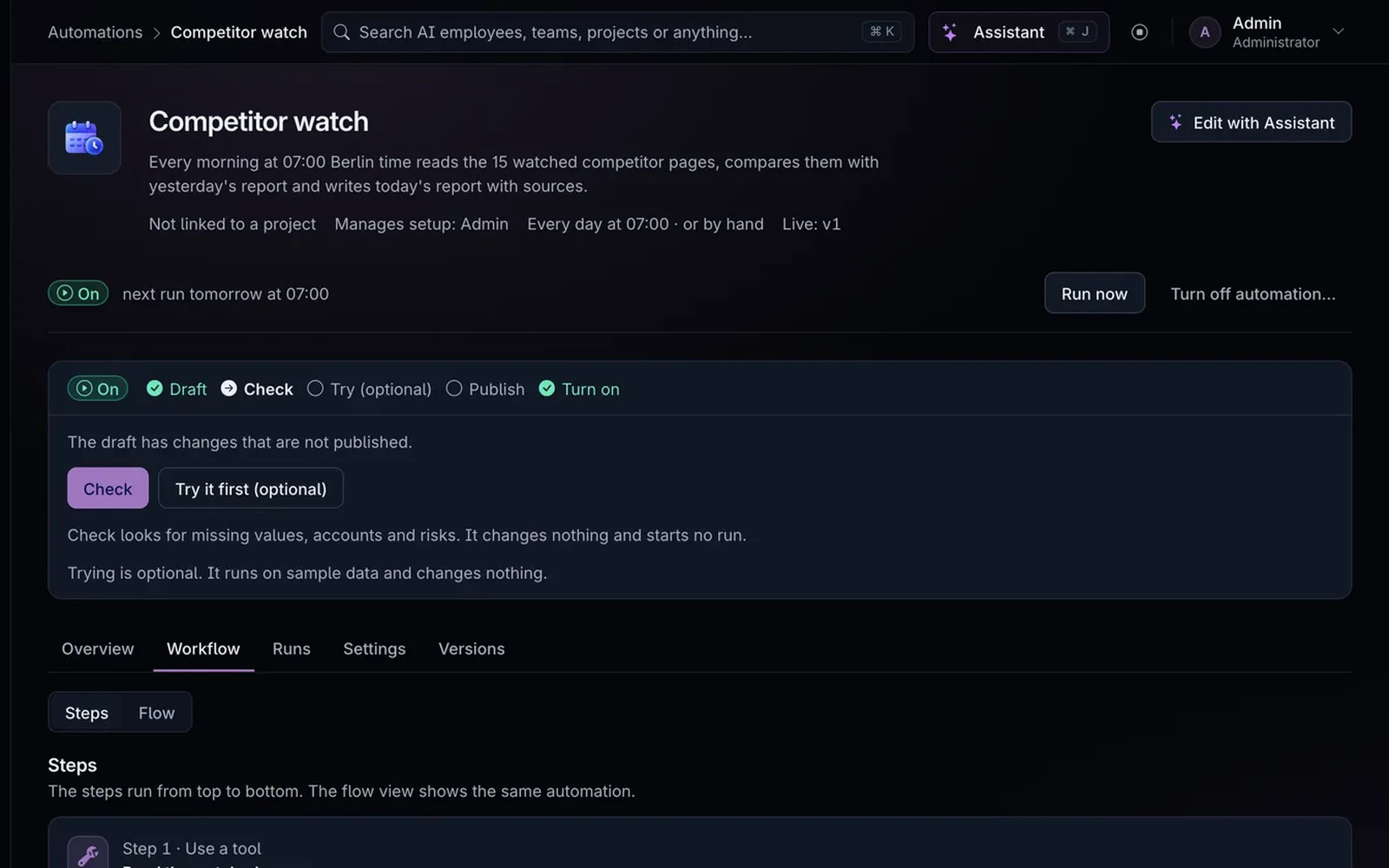
Automations: schedule, last result, on or off.

Today in your business

What dispatch notices too late

The tracking state is read through the connected interfaces. If they contradict each other, dispatch decides.

  • The customer calls firstDelays are with the carrier before anyone sees them.
  • Freight rates in tariff tablesChanges per zone and weight band: weekly, hidden.
  • "Where is my delivery?"The same question, a tracking lookup every time.

3 interactive workflows MITDesk prepares

Pick a real business situation, start the demo, test missing details or rejection, and inspect the verifiable output.

1. Select a business situationDemo using sample data

Shipment exceptions

Logistics · Demo using sample data

Weekdays 07:00, 11:00 and 15:00 · Sendcloud and carrier tracking · open shipmentsSchedule

Monday, 07:00

Logistics

312 open shipments in Odoo.

Systems & rights:EventSourcesApproval
Explore situation
ScheduleStep 1 of 5

Monday, 07:00

  • 312 open shipments in Odoo.
Decision point: human approvalSafe demo simulation only

Approval before outbound action or update

Exception list and email drafts

Monday, 07:00Run 07:00 · 7 delayed shipments (out of 312 open)
Dispatch · Shipment exceptions & customer draftsDemo using sample data

Run 07:00 · 7 delayed shipments (out of 312 open)

Delayed shipments (6x clear)
Customer & order matched · individual notification draft with updated delivery window ready
Contradictory tracking (1x)
Shipment 2026-4489: Sendcloud shows "delivered 09:12", carrier scan shows "delivery attempt failed 09:40"
When two tracking sources contradict, no customer draft is sent; the case is escalated to dispatch.
Sources: Open deliveries · Sendcloud tracking (Monday 07:00)

What stays with your team

Customer service sends customer notifications. If many shipments are affected (by your rule from 10), dispatch gets an overview. No bulk email goes out.

Check this workflow for my business

Demo using sample data - no real emails, bookings, payments, or system updates are triggered.

When something is missing or does not match

Tracking states contradict. Dispatch clears it up with the carrier and decides what the customer is told.


Typical connections

All integrations

System integration & setup

How MITDesk works with tracking interfaces, tariff tables, and dispatch

Logistics and dispatch teams connect their shipment records (e.g. Odoo, Sendcloud), carrier tariff tables in their document folder, and the customer-service mailbox.

1. Mailbox, calendar & file folders

Start without rebuilding your IT: the AI employee reads a permitted mailbox, an availability calendar, and your shared document folders (e.g. Microsoft 365, Google Workspace, Nextcloud, or IMAP).

2. Direct connection to supported applications

Where a supported connector is available (e.g. Odoo, Zammad, GitLab, Qonto, Lexware Office, sevDesk), the AI employee works through its own strictly scoped user account.

3. Alongside existing sector software

If your sector or practice software does not expose an open write API, MITDesk works cleanly alongside it via incoming emails, file exports, or the side panel - and your team applies the verified result.

Automated bulk emails are never sent to customers; above your threshold, dispatch receives a consolidated overview first. The connections named here are built and tested with test data; verified in real use so far is Odoo (Odoo 20, our own system). We qualify each further one with your account during onboarding before it runs in production.

How you start

"Shipment exceptions" as your first workflow.

Configure your task in the solution configurator or send us an enquiry; we guide the onboarding. At first the AI employee observes and prepares drafts; every outbound reply or record change waits for your team's approval.

Price orientation: Start from €124.17 / month billed annually (€1,490 per year instead of €1,788; or €149 billed monthly, 1 AI employee) · Team from €374.17 / month billed annually (€4,490 per year; or €449 billed monthly, up to 5 AI employees) · paid upfront, monthly or annually. All prices net plus AI model usage.

  1. Step 1Select task & scopeChoose your workflow, volume, and existing tools in the configurator.
  2. Step 2Connect & observeEach connection uses its own account with scoped rights. The AI employee prepares drafts while your team compares.
  3. Step 3Approve with confidenceOutbound messages and system changes wait for your approval according to your rules.
  4. Configure this workflowSee all plans & prices

Frequently asked questions: Logistics

Does MITDesk automatically send hundreds of emails during a carrier outage?

No. First, MITDesk never sends customer emails without approval. Second, above your defined threshold (e.g. 10 affected shipments), MITDesk consolidates the incident into an overview for dispatch.

What happens when two tracking updates contradict each other?

MITDesk displays both updates with their exact timestamps side by side and holds back the customer draft until dispatch clarifies the status.

How are freight tariffs compared?

MITDesk reads your carriers' PDF and Excel tariff sheets from the shared folder and reports changes per zone and weight band with source and validity date.

Want to calculate effort and package fit for your team?

The 5-step solution configurator pre-selects this industry and task, calculates the time scenario, and recommends the fitting setup.

Configure for your business