Dental practices
Less admin for your dental practice front desk.
MITDesk handles recurring front-desk work: structuring appointment requests, preparing cancellation and waiting-list follow-ups, drafting answers from practice information, and preparing the daily reception overview - with your team approving outbound communication.
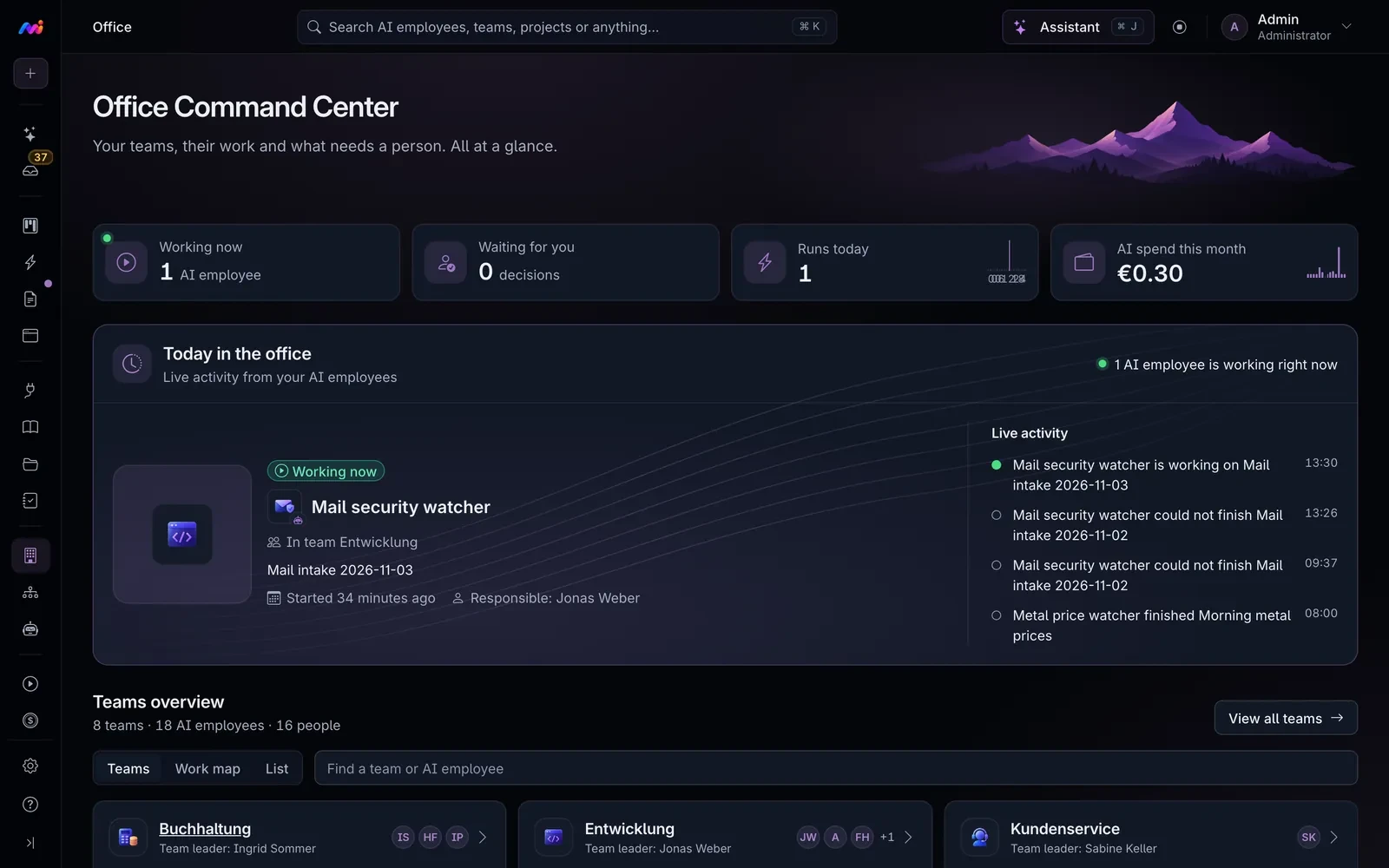
Today in your business
What interrupts the dental practice front desk every day
MITDesk assists with administration and communication. Booking in the PVS and clinical decisions always stay with the practice team.
A real administrative day at reception
Where MITDesk visibly relieves your front desk between 07:30 and 18:00.
No rebuilding your practice software and no automated medical advice: MITDesk sorts, structures, and drafts - your team checks in seconds and books bindingly in the PVS.
- 07:30
Before opening: ordered morning brief
MITDesk: Compiles overnight callbacks, unconfirmed hygiene slots, and missing new-patient forms on one page. Acute pain messages appear at the very top.
Your team: Reception calls pain patients first and starts the day without paper clutter.
- 08:14
New patient emails for check-up + hygiene
MITDesk: Reads reason, insurance type, and time preference against your checklist, names two free 60-min windows from your availability calendar, and prepares the reply draft. If the calendar is missing, a placeholder for the slot proposal stays.
Your team: Reception blocks the slot in the PVS and sends the prepared reply in one click.
- 09:05
Short-notice cancellation of a 60-min hygiene slot
MITDesk: Filters matching morning preferences from your hygiene waiting list and prepares two polite outreach drafts.
Your team: Reception selects the best match, sends the message, and rebooks in the PVS.
- 14:20
Recurring questions on parking & visit prep
MITDesk: Prepares reply drafts straight from your approved practice handouts - citing exact passages, with zero clinical statements.
Your team: Quick check, approve, done - while patients are checked in at the desk.
4 interactive workflows MITDesk prepares
Pick a real business situation, start the demo, test missing details or rejection, and inspect the verifiable output.

When something is missing or does not match
Details missing. Draft asks specifically for reason, preferred time of day, and phone number - or flags acute complaints immediately for a phone call-back.


System integration & setup
How MITDesk works with your practice setup and PVS
In dental practices the practice management system (PVS) sits at the centre. MITDesk never writes uncontrolled changes into your PVS database; instead, it relieves reception right where requests arrive: in mailboxes, web forms, callback lists, and practice handouts.
1. Mailbox, calendar & file folders
Start without rebuilding your IT: the AI employee reads a permitted mailbox, an availability calendar, and your shared document folders (e.g. Microsoft 365, Google Workspace, Nextcloud, or IMAP).
2. Direct connection to supported applications
Where a supported connector is available (e.g. Odoo, Zammad, GitLab, Qonto, Lexware Office, sevDesk), the AI employee works through its own strictly scoped user account.
3. Alongside existing sector software
If your sector or practice software does not expose an open write API, MITDesk works cleanly alongside it via incoming emails, file exports, or the side panel - and your team applies the verified result.
Important boundary: binding slot confirmation in the PVS is performed by your reception team after reviewing the proposal. MITDesk makes no diagnoses, gives no clinical treatment advice, and performs no medical triage. Before any real patient data is processed, we conclude the Data Processing Agreement (AVV) and configure the appropriate operating mode (e.g. EU-only or own server). The workflows shown are demonstrations with sample data, not a verified connection to practice software; an appointment search with rooms and practitioners directly in the calendar is in preparation. The connections named here are built and tested with test data; verified in real use so far is Odoo (Odoo 20, our own system). We qualify each further one with your account during onboarding before it runs in production.
Frequently asked questions: Dental practices
Does MITDesk need direct write access to our practice management system (PVS)?
No. In most dental practices MITDesk works through the practice mailbox, a shared availability calendar (or daily export), and your practice handouts. Binding slot confirmation in the PVS is performed by your reception team after a quick review.
How does MITDesk handle patients in pain or clinical questions?
MITDesk never makes diagnoses, estimates treatment costs, or performs medical triage. If a message mentions acute pain, MITDesk flags it immediately for a phone call-back by reception. For clinical questions, the draft invites the patient to an in-person examination.
How are data protection and patient confidentiality handled?
Before connecting real practice mailboxes, we conclude the Data Processing Agreement (AVV) and configure the operating mode - optionally using AI models strictly within the EU or running entirely on a server under your control.
Want to calculate effort and package fit for your team?
The 5-step solution configurator pre-selects this industry and task, calculates the time scenario, and recommends the fitting setup.
Other industries